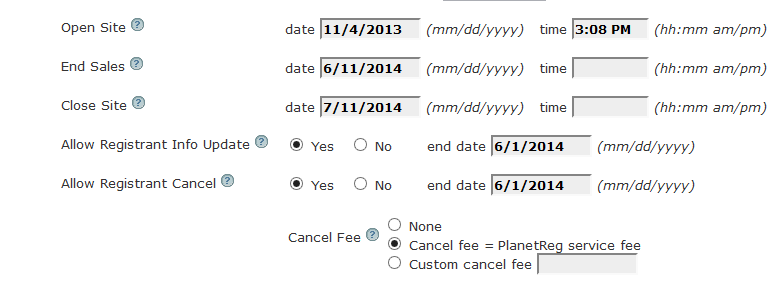
The Open Site date (and time) can be used to specify when your site will become available for use. When you are testing your site, be sure that this date is in the past.
The End Sales date and time specify the last date/ time that an attendee can register. If you do not enter a time, the system defaults to midnight on the date shown. That is midnight of the time zone you chose when you created your event.
The Close Site date and time specify when attendees can no longer access their registrations. Up until that date, attendees can look up their registrations. Please be aware that if you use a Survey, the Close Site date must include the last date you expect to receive survey results. See Edit Survey .
As the administrator, you can add attendees between the End Sales date and Close Sales date.
If you want to end or close at a time other than midnight, you can enter the time as AM or PM. If your close time is 5:00PM, enter it as:
5:00 PM in the time: box.