For the example we are following (Abercrombie Family Reunion), we will want to keep the default choice. We need to capture details on all attendees.
The Standard Questions look like this:
A Standard Question can be used or skipped. To use the question, make sure the Use box is checked. If you wish to Require the entry of that data field, make sure the Require box is checked.
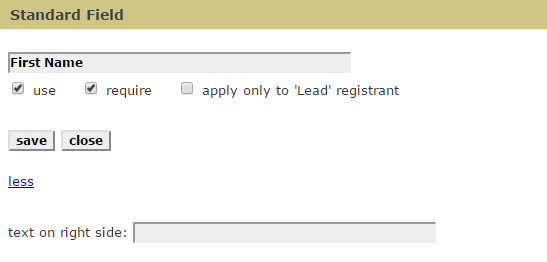
You can also edit the Standard Question by clicking the edit choice next to the Question. You will get this screen:
Again, we have clicked the more link to see all of the possible options. You can change the actual name of the field if you like - this again, would be handy to present the form in another language. First Name in German would become Vorname.
Note - do not use standard questions in lieu of Custom Questions (Custom questions ). Most of the Standard Questions have limited field sizes and field types as well as differing functionality. Use custom questions if the question is not covered in the Standard Questions.
Here is a list of standard questions - please note that some standard questions should not be altered as regards their function. I.e. you can change their name but do not expect the function to be changed. The standard questions shown in red have a 'hard coded' function. You can move them around via drag and drop but First Name will be First Name, regardless of what you call it.
Salutation
First Name
Last Name
Title
Nick Name
Work Phone
Email
Email repeat
Address
Address Line 2
Address Line 3
City
State/Province
Country
Zip (Postal Code)
Company/Organization
Home Phone
Mobile Phone
Fax Number
Member ID
Customer ID
Age
Birth Date
Gender
Int'l State/Country
You can also enter text that would show on the right side of the standard question entry.
You can change the order of the standard questions. Just hold down the left button on your mouse and drag the question to a new position.
If you want a standard question to apply to the first registrant only, click the check box next to that request. You might use this where the first registrant will provide the main demographic data, like address, etc. but subsequent entries do not need that information. One side effect of this option is that the downloaded data for non-lead registrants will not contain data that is entered for the lead only. Note that this feature is only relevant when you have a registration with more than ONE person entered on the same registration.
An obvious use for this feature is when selling or registering 'tables' of people. I.e. when buying a 'table of 8', the only thing you may require of the second and subsequent entries is the name and organization of the registrants.
A note about collecting email addresses
An email address is required for every registration. You do not have to use the email address field in Standard questions, however if you do not use it, a Contact box will be presented which will require an email address:
So, even if you collect NO data from the standard questions, the email address and last name fields will be requested.
It is not uncommon to change the description of a standard question to collect a piece of data that is not included in the standard question.
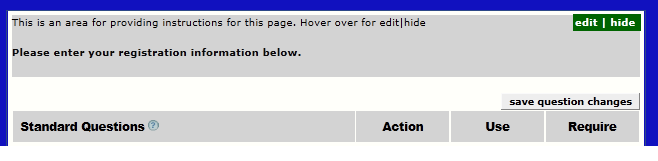
There is an additional text area at the top of the Questions page:
You can use this area for further instructions at the top of your questions.